
How to use debug mode with nslookup
Enable nslookup debug mode to display full DNS response packets, TTL values, authority records, and query metadata.
Enable nslookup debug mode to view full DNS response packets, TTL values, authority records, and query metadata for DNS troubleshooting.
Prerequisites
- nslookup installed on the system (included by default on Linux, macOS, and Windows).
- Terminal or command prompt access.
- The domain name or IP address to query.
Step-by-Step: Use Debug Mode with nslookup
Open a terminal and run nslookup with the
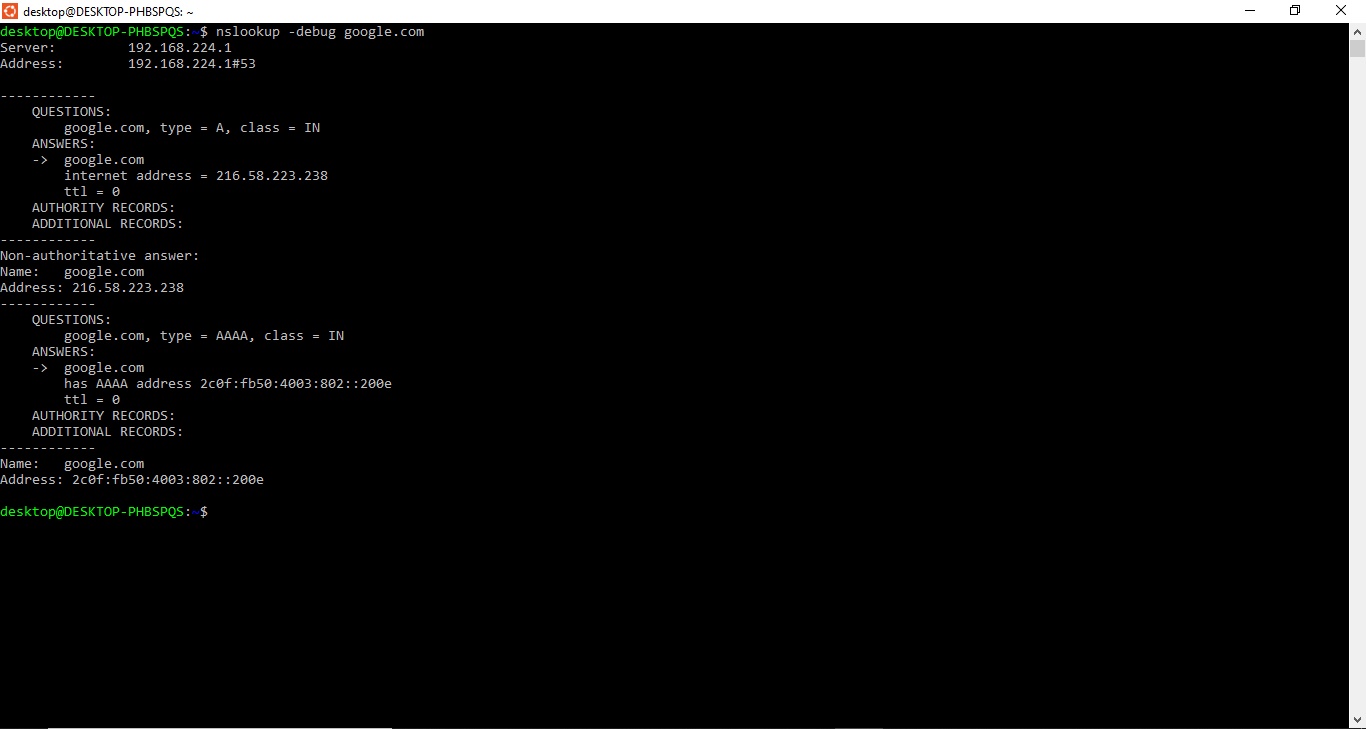
-debugflag to enable verbose DNS output:nslookup -debug example.comnslookup displays the complete DNS response instead of the abbreviated default output. The debug output includes four sections: QUESTIONS (the query sent), ANSWERS (the resolved records with TTL values), AUTHORITY RECORDS (the authoritative nameservers), and ADDITIONAL RECORDS (glue records and related data).
Example output:
Server:    192.168.0.1
Address:   192.168.0.1#53

------------
    QUESTIONS:
    example.com, type = A, class = IN
    ANSWERS:
    ->  example.com
    internet address = 93.184.216.34
    ttl = 3600
    AUTHORITY RECORDS:
    ADDITIONAL RECORDS:
------------
Non-authoritative answer:
Name:    example.com
Address: 93.184.216.34
To use debug mode in nslookup interactive mode, enter
set debugat the interactive prompt:nslookup> set debug > example.comnslookup applies debug output to every subsequent query in the interactive session. Enter
set nodebugto disable debug mode without exiting.For even more detailed output, use level-2 debug mode in interactive mode:
> set d2
> example.com
nslookup displays exhaustive packet details, including all DNS messages sent and received during the query.
How to Verify
nslookup displays the QUESTIONS, ANSWERS, AUTHORITY RECORDS, and ADDITIONAL RECORDS sections when debug mode is active. Confirm the TTL values, record types, and authority data appear in the output. The debug output contains the response packet structure that the standard output omits.
Common Issues
nslookup debug output shows TTL = 0.A TTL of 0 means the resolver does not cache the record. Each query triggers a fresh lookup to the authoritative nameserver. This is common for records configured with very short TTL values during DNS migrations.
nslookup debug output shows no AUTHORITY RECORDS.The DNS resolver answered from its cache and did not include the authority section. Query the authoritative nameserver directly to see the full authority data:
nslookup -debug example.com ns1.example.comnslookup debug output is difficult to read with multiple record types.Query each record type separately with debug enabled to isolate the output:
nslookup -debug -type=a example.com
nslookup -debug -type=mx example.com
nslookup produces a separate debug block for each query, which makes the output easier to analyze.