
How to specify a DNS server with nslookup
Direct nslookup queries to a specific DNS server to test resolution against public resolvers or authoritative nameservers.
Direct nslookup queries to a specific DNS server to verify records against public resolvers, authoritative nameservers, or alternate DNS providers.
Prerequisites
- nslookup installed on the system (included by default on Linux, macOS, and Windows).
- Terminal or command prompt access.
- The domain name to query and the IP address or hostname of the target DNS server.
Step-by-Step: Specify a DNS Server with nslookup
Open a terminal and run nslookup with the domain name followed by the DNS server address:
nslookup example.com 8.8.8.8nslookup sends the query to Google Public DNS (8.8.8.8) instead of the system's default resolver. The output displays the server that answered the query and the resolved address.
Example output:
Server:  dns.google
Address: 8.8.8.8#53

Non-authoritative answer:
Name:    example.com
Address: 93.184.216.34
To query the domain's authoritative nameserver directly, first find the NS records:
nslookup -type=ns example.comThen query one of the returned nameservers:
nslookup example.com ns1.example.comnslookup returns an authoritative answer because the query goes directly to the nameserver that holds the domain's zone file.
To compare results across DNS providers, query multiple servers:
nslookup example.com 8.8.8.8
nslookup example.com 1.1.1.1
nslookup example.com 9.9.9.9
nslookup queries Google Public DNS, Cloudflare DNS, and Quad9 DNS respectively. Comparing results reveals propagation delays or caching differences between resolvers.
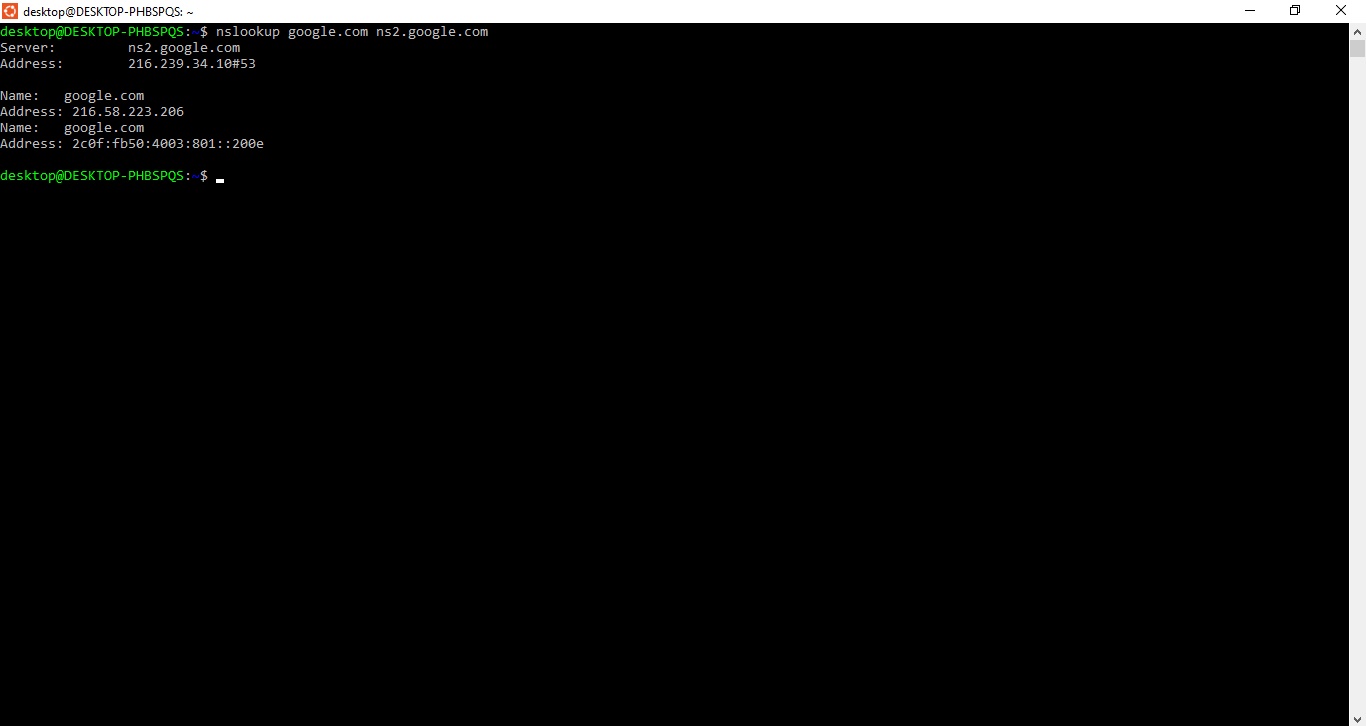
How to Verify
nslookup displays the queried server name and address at the top of the output. Confirm the "Server" line matches the DNS server specified in the command. The resolved records appear under the "Non-authoritative answer" or "Authoritative answer" section.
Common Issues
nslookup returns "connection timed out; no servers could be reached."The specified DNS server is unreachable. Verify the server IP address is correct and that network connectivity exists. Check whether a firewall blocks outbound DNS traffic on port 53.
nslookup returns different results from different DNS servers.DNS records propagate across resolvers based on TTL values. After a DNS change, authoritative nameservers reflect updates immediately. Caching resolvers continue serving the old records until the TTL expires. Query the authoritative nameserver to confirm the current value.
nslookup returns "Non-authoritative answer" from the domain's nameserver.The nameserver may be a secondary (slave) that serves cached data from the primary. Query the primary nameserver listed in the SOA record for a fully authoritative response.