
How to check MX records with nslookup
Query MX (mail exchange) records with nslookup to identify the mail servers responsible for handling email for a domain.
Query MX (mail exchange) records with nslookup to identify which mail servers accept email for a domain.
Prerequisites
- nslookup installed on the system (included by default on Linux, macOS, and Windows).
- Terminal or command prompt access.
- The domain name to query.
Step-by-Step: Check MX Records with nslookup
Open a terminal and run nslookup with the
-type=mxflag to query the mail exchange records for the domain:nslookup -type=mx example.comnslookup queries the DNS resolver for MX records and returns the mail server hostnames with their priority values. Lower priority numbers indicate higher preference -- the sending mail server contacts the lowest-numbered MX server first.
Example output:
Server:  192.168.0.1
Address: 192.168.0.1#53

Non-authoritative answer:
example.com mail exchanger = 10 mail.example.com.
example.com mail exchanger = 20 mail2.example.com.
To query the MX records from a specific DNS server, add the server address as the second argument:
nslookup -type=mx example.com 8.8.8.8nslookup sends the MX query to Google Public DNS (8.8.8.8) instead of the system's default resolver.
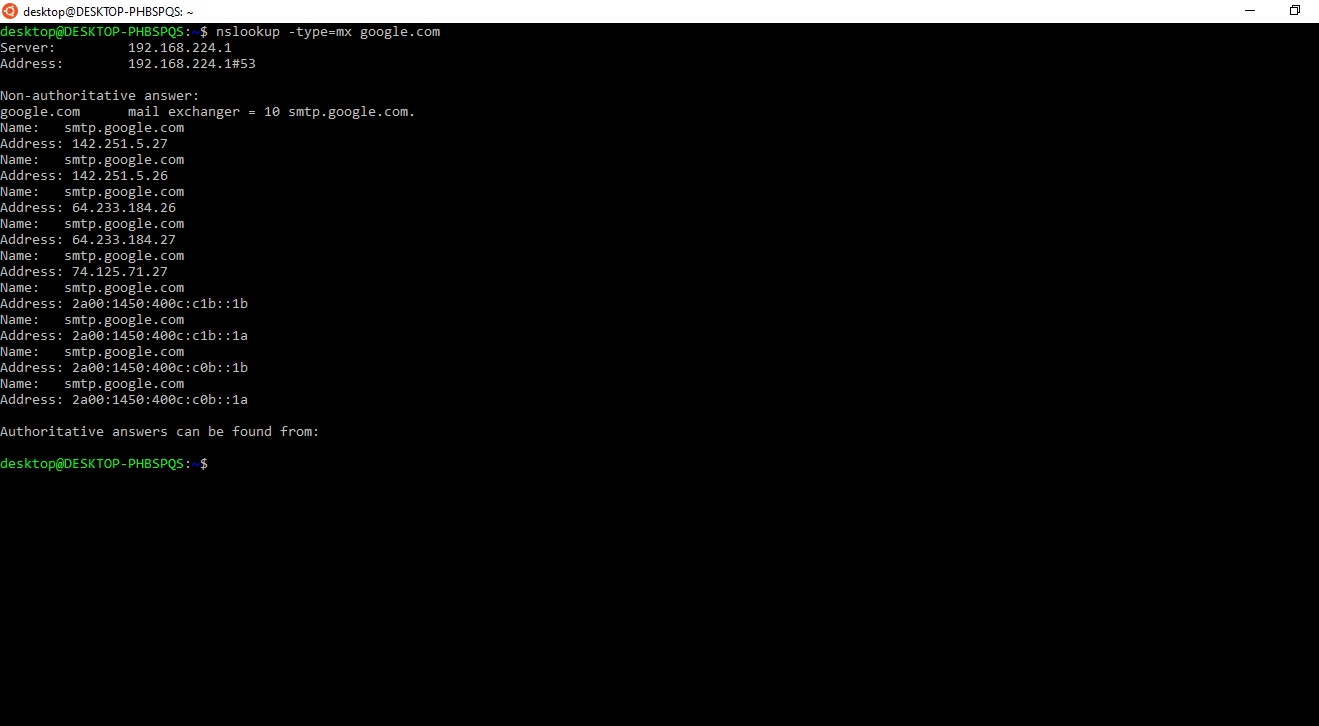
How to Verify
nslookup displays the MX records under the "Non-authoritative answer" section. Confirm that the mail server hostnames and priority values match the expected configuration. Each MX entry shows a priority number and the fully qualified domain name (FQDN) of the mail server.
To verify against the authoritative nameserver, first identify the NS record for the domain, then query that server for MX records:
nslookup -type=ns example.com
nslookup -type=mx example.com ns1.example.com
Common Issues
nslookup returns no MX records for the domain.The domain may not have MX records configured. Some mail configurations rely on an A record fallback -- if no MX record exists, sending servers attempt delivery to the domain's A record address.
nslookup shows stale MX records after a DNS change.DNS resolvers cache MX records based on the TTL (Time to Live) value. Query the authoritative nameserver directly to see the current records. The cached records on the resolver expire after the TTL period.
nslookup returns multiple MX records with the same priority.Multiple MX records with identical priority values indicate a round-robin configuration. Sending mail servers distribute connections across all servers at the same priority level.