
How to set maximum log file size with Logrotate
Configure the Logrotate size directive to trigger log rotation when a log file exceeds a specified maximum file size in megabytes.
Configure Logrotate to rotate a log file when it exceeds a specified size threshold.
Prerequisites
- Linux system with Logrotate installed.
- Root or sudo access to edit files in
/etc/logrotate.d/. - An existing Logrotate configuration file for the target application.
Step-by-Step: Set Maximum Log File Size with Logrotate
Open the Logrotate configuration file for the target application. This example uses Nginx:
sudo nano /etc/logrotate.d/nginxAdd the
sizedirective inside the log file block. Logrotate rotates the file when it exceeds the specified size:/var/log/nginx/*.log { size 100M rotate 7 compress missingok notifempty }Logrotate accepts size values in bytes (default), kilobytes (
k), megabytes (M), and gigabytes (G). The value100Mtriggers rotation when the log file exceeds 100 megabytes.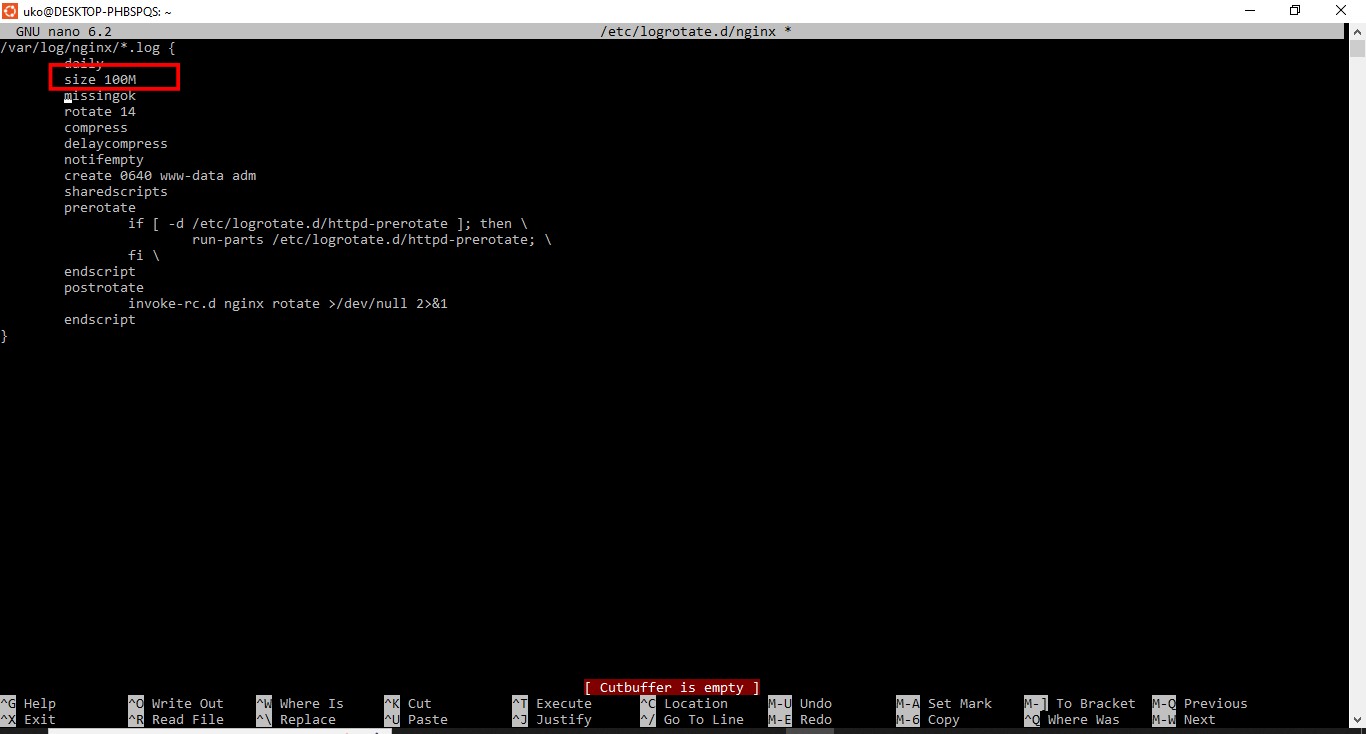
The
sizedirective overrides time-based directives (daily,weekly,monthly). Logrotate ignores the schedule and rotates based on file size alone.Save the configuration file and exit the editor.
Test the updated Logrotate configuration in debug mode:
sudo logrotate -d /etc/logrotate.d/nginxLogrotate shows whether each file meets the size threshold for rotation.
How to Verify Maximum File Size Rotation Works
Logrotate checks the file size on its next scheduled run. Force an immediate check to verify:
sudo logrotate -vf /etc/logrotate.d/nginxLogrotate rotates files that exceed the configured size and prints verbose output confirming the action.
Common Issues When Setting Maximum Log File Size with Logrotate
Log files are not rotated despite exceeding the size.Logrotate checks file sizes only when it runs. The default cron job runs once per day. A rapidly growing log file may exceed the size limit between runs. For more frequent checks, create a custom cron job that runs Logrotate hourly with a separate state file.
The size directive conflicts with time-based directives.The
size directive takes precedence over
daily,
weekly, or
monthly. To combine both conditions, use
maxsize instead. Logrotate rotates when the file exceeds
maxsize even if the time interval has not elapsed. Use
minsize to require both the time interval AND a minimum file size before rotation.
| Directive | Behavior |
|---|---|
size 100M | Rotates when file exceeds 100 MB. Ignores time schedule. |
maxsize 100M | Rotates when file exceeds 100 MB even if the time interval has not passed. |
minsize 50M | Rotates only if the time interval has passed AND the file exceeds 50 MB. |
For a full reference of all Logrotate directives, see the Logrotate directives reference.