
How to remove old log files with Logrotate
Configure the Logrotate maxage directive to automatically delete rotated log files older than a specified number of days.
Configure Logrotate to automatically delete rotated log files that exceed a specified age in days.
Prerequisites
- Linux system with Logrotate installed.
- Root or sudo access to edit files in
/etc/logrotate.d/. - An existing Logrotate configuration file for the target application.
Step-by-Step: Remove Old Log Files with Logrotate
Open the Logrotate configuration file for the target application. This example uses Nginx:
sudo nano /etc/logrotate.d/nginxAdd the
maxagedirective inside the log file block. Logrotate deletes rotated files older than the specified number of days:/var/log/nginx/*.log { daily rotate 14 compress maxage 30 missingok notifempty }Logrotate interprets
maxage 30as 30 days. It checks each rotated file's last modification timestamp and deletes files that exceed the threshold.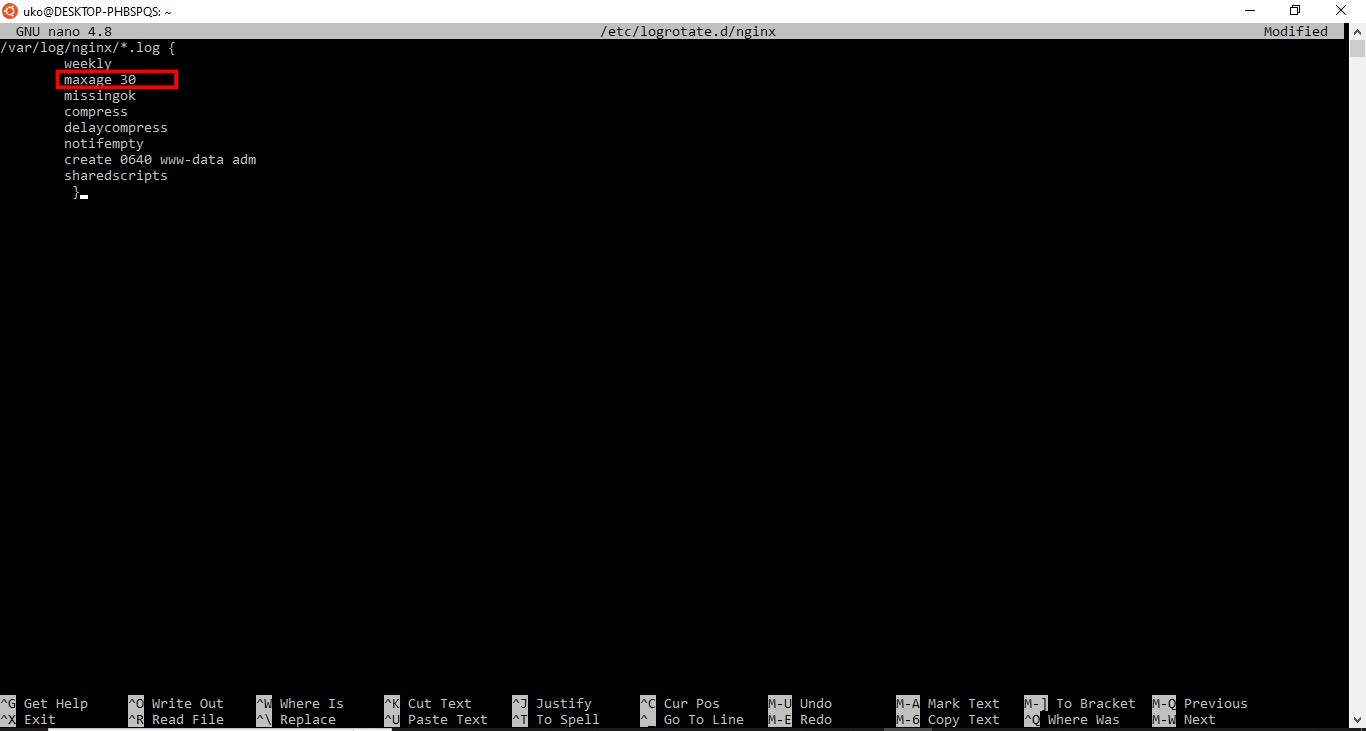
Common
maxagevalues:Retention Period maxageValue24 hours maxage 17 days maxage 730 days maxage 306 months maxage 1821 year maxage 365Save the configuration file and exit the editor.
Test the updated Logrotate configuration in debug mode to verify the
maxagedirective works:sudo logrotate -d /etc/logrotate.d/nginxLogrotate prints the actions it would take without modifying any files. Look for lines indicating files that would be removed due to age.
How to Verify Old Log Files Are Removed
Logrotate applies the
maxage directive on its next scheduled run. After one full rotation cycle, check the log directory for old files:
ls -la /var/log/nginx/Rotated files older than the
maxage threshold should no longer exist.
Common Issues When Removing Old Log Files with Logrotate
Log files persist beyond the maxage threshold.Logrotate only deletes files it manages. Manually created or renamed log files outside Logrotate's rotation naming pattern are not affected by
maxage.
The maxage and rotate directives conflict.The
rotate directive limits the number of retained copies. The
maxage directive limits retention by age. Logrotate applies both rules. A file is removed if it exceeds either threshold.
Logrotate does not run on schedule.The
maxage directive takes effect only when Logrotate runs. If the daily cron job is missing or disabled, old files accumulate. Verify the cron job exists at
/etc/cron.daily/logrotate.
For a full reference of all Logrotate directives, see the Logrotate directives reference.