
How to avoid Apache restart during Logrotate rotation
Use the Logrotate copytruncate directive to rotate Apache HTTP Server log files without restarting or reloading the web server process.
Use the Logrotate
copytruncatedirective to rotate Apache HTTP Server log files without restarting or sending a reload signal to the server.
Prerequisites
- Linux system with Logrotate installed.
- Apache HTTP Server installed and running.
- Root or sudo access to edit files in
/etc/logrotate.d/.
Step-by-Step: Avoid Apache Restart During Logrotate Rotation
Open the Logrotate configuration file for Apache HTTP Server:
sudo nano /etc/logrotate.d/apache2On RHEL-based systems, the file is typically
/etc/logrotate.d/httpd.Add the
copytruncatedirective inside the log file block. Logrotate copies the log file contents to a new rotated file and then truncates the original to zero bytes:/var/log/apache2/*.log { weekly rotate 12 compress delaycompress copytruncate missingok notifempty }Logrotate's
copytruncatedirective avoids moving or renaming the log file. Apache HTTP Server keeps its file descriptor open on the original file. Because Logrotate truncates the file in place, Apache continues writing to the same file without interruption.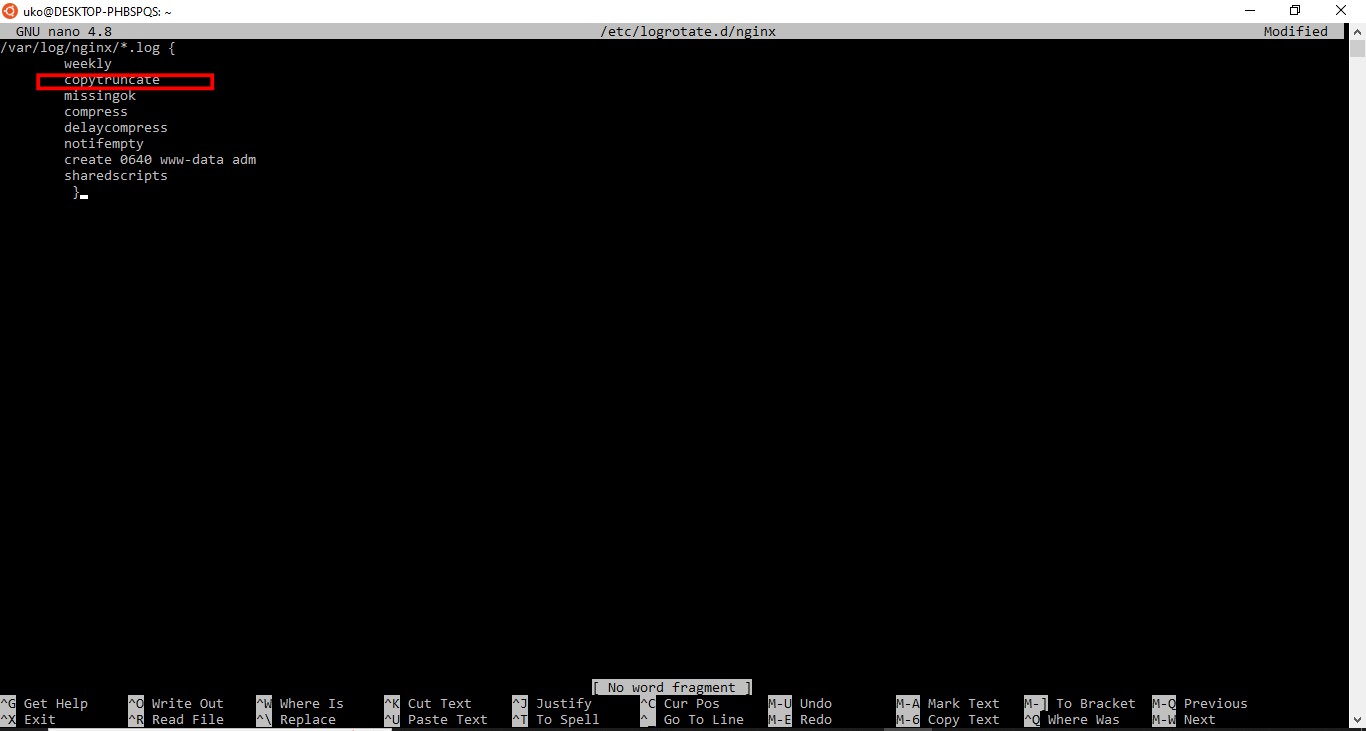
Save the configuration file and exit the editor.
Test the updated Logrotate configuration in debug mode:
sudo logrotate -d /etc/logrotate.d/apache2Logrotate confirms that it will use
copytruncateinstead of renaming the file.
How to Verify Apache Keeps Running After Logrotate Rotation
Force a rotation and confirm Apache HTTP Server remains active:
sudo logrotate -f /etc/logrotate.d/apache2
systemctl status apache2
Apache HTTP Server should report an active (running) status with no restart in its log.
Common Issues When Using Copytruncate with Logrotate
Small risk of log data loss.Logrotate's
copytruncate operation is not atomic. A brief window exists between copying the file and truncating it. Log lines written during this window may be lost. For high-traffic servers, consider using a
postrotate hook with
apachectl graceful or
systemctl reload apache2 instead. The reload approach signals Apache HTTP Server to reopen its log files without data loss.
The delaycompress directive prevents immediate compression.When using
copytruncate with
delaycompress, Logrotate waits until the next rotation cycle to compress the previous file. This avoids compressing a file that Apache may still reference briefly after rotation.
Copytruncate does not work with hardlinks.If the log file is a hardlink,
copytruncate truncates all references to the same inode. Use the standard rename-and-signal approach if the log file uses hardlinks.
New to Logrotate? See the Logrotate tutorial: configure log rotation from scratchfor a complete walkthrough of all configuration options.