
BeautifulSoup tutorial: scrape a website for links, titles, and navigation
Learn how to scrape a website with BeautifulSoup and the Python requests library to extract page titles, hyperlinks, and navigation items.
- What You Will Need
- Step 1: Import the BeautifulSoup and Requests Libraries
- Step 2: Fetch the Web Page with the Python Requests Library
- Step 3: Parse the HTML Response with BeautifulSoup and lxml
- Step 4: Extract the Page Title with BeautifulSoup find()
- Step 5: Extract All Hyperlinks with BeautifulSoup find_all()
- Step 6: Extract Navigation Items with BeautifulSoup
- Step 7: Combine All Steps into a Complete BeautifulSoup Script
- What You Learned
- What to Do Next
This tutorial walks through a complete BeautifulSoup (bs4) web scraping workflow. By the end, you will understand how to fetch a web page with the Python requests library, parse the HTML with BeautifulSoup, and extract the page title, all hyperlinks, and navigation items.
What You Will Need
- Python 3.7 or later installed on your system.
- The
beautifulsoup4package (pip install beautifulsoup4). - The
requestspackage (pip install requests). - The
lxmlparser (pip install lxml).
Step 1: Import the BeautifulSoup and Requests Libraries
BeautifulSoup (bs4) handles HTML parsing. The Python requests library handles HTTP communication. Import both libraries at the top of the script. The
from bs4 import BeautifulSoup statement makes the
BeautifulSoup class available directly without the
bs4. prefix.
from bs4 import BeautifulSoup
import requests
Step 2: Fetch the Web Page with the Python Requests Library
The Python requests library sends an HTTP GET request to the target URL and returns a
Response object. The
response.status_code attribute contains the HTTP status code. A status code of 200 means the server returned the page content. Any other code indicates an error or redirect.
url = "https://example.com"
response = requests.get(url)

if response.status_code == 200:
    print("Page fetched successfully!")
else:
    print(f"Error: Status code {response.status_code}")
Checking the status code before parsing prevents BeautifulSoup from processing error pages (such as 404 or 500 responses) as if they were the target content. Without this check, the script would silently extract data from the wrong HTML.
Step 3: Parse the HTML Response with BeautifulSoup and lxml
BeautifulSoup's constructor accepts the HTML string and a parser name. The
"lxml" parser is the fastest option and handles most real-world HTML reliably. The constructor returns a
BeautifulSoup object that represents the entire parsed document as a navigable tree of
Tag and
NavigableString objects.
soup = BeautifulSoup(response.text, "lxml")The
response.text attribute contains the HTML as a decoded Python string. BeautifulSoup creates the parse tree from this string. The parser you choose affects how BeautifulSoup interprets malformed HTML, so specifying
"lxml" explicitly ensures consistent behavior across different machines.
Step 4: Extract the Page Title with BeautifulSoup find()
BeautifulSoup's
find("title") method locates the first
<title> tag in the parse tree and returns it as a
Tag object. The
.string property of a
Tag returns the text content as a
NavigableString when the tag contains only text and no nested elements.
title = soup.find("title")
if title:
    print(f"Page Title: {title.string}")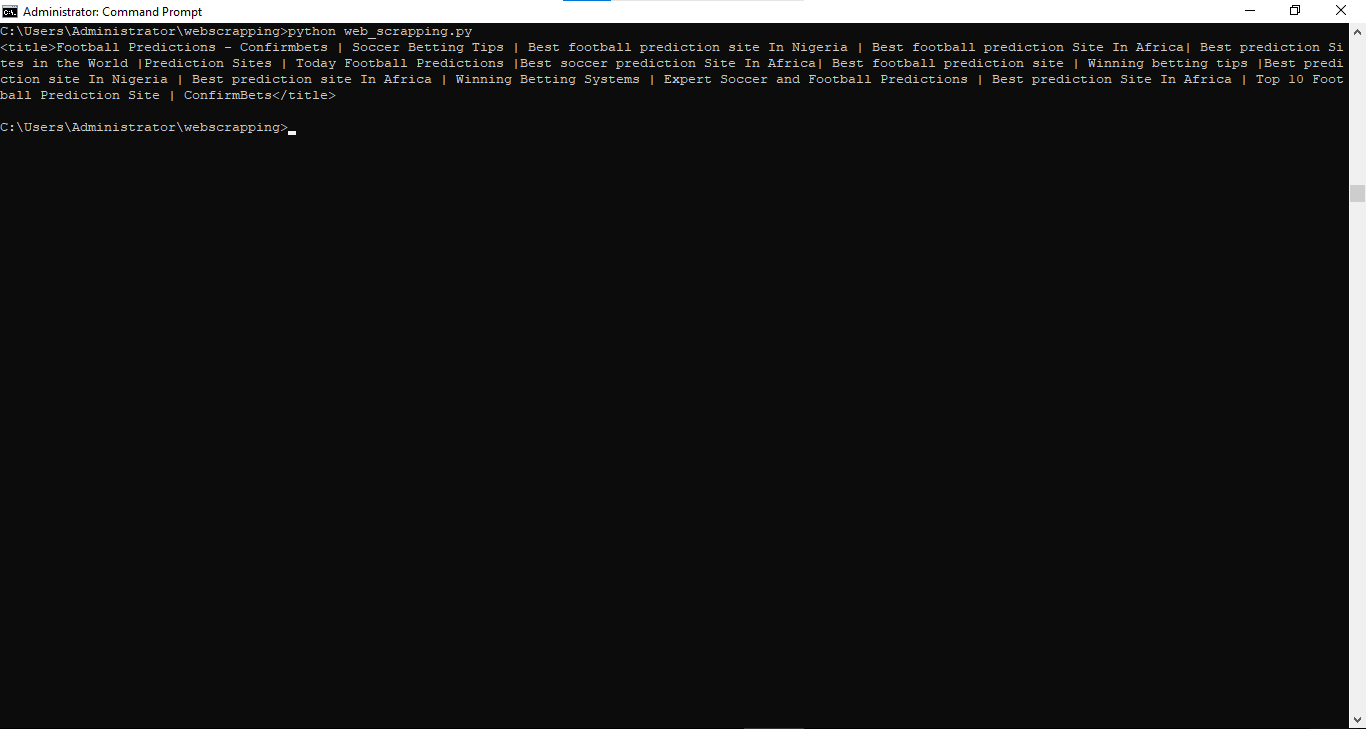
The
if title: check prevents an
AttributeError when the page has no
<title> tag. BeautifulSoup returns
None from
find() when no matching element exists. Accessing
.string on
None would crash the script.
Step 5: Extract All Hyperlinks with BeautifulSoup find_all()
BeautifulSoup's
find_all("a") method returns a
ResultSet containing every
<a> tag in the document. The
.get("href") method retrieves the URL from the
href attribute. The
.get_text(strip=True) method extracts the visible link text with whitespace removed.
links = soup.find_all("a")
print(f"\nFound {len(links)} links:")

for link in links:
    href = link.get("href")
    text = link.get_text(strip=True)
    if href:
        print(f"{text}: {href}")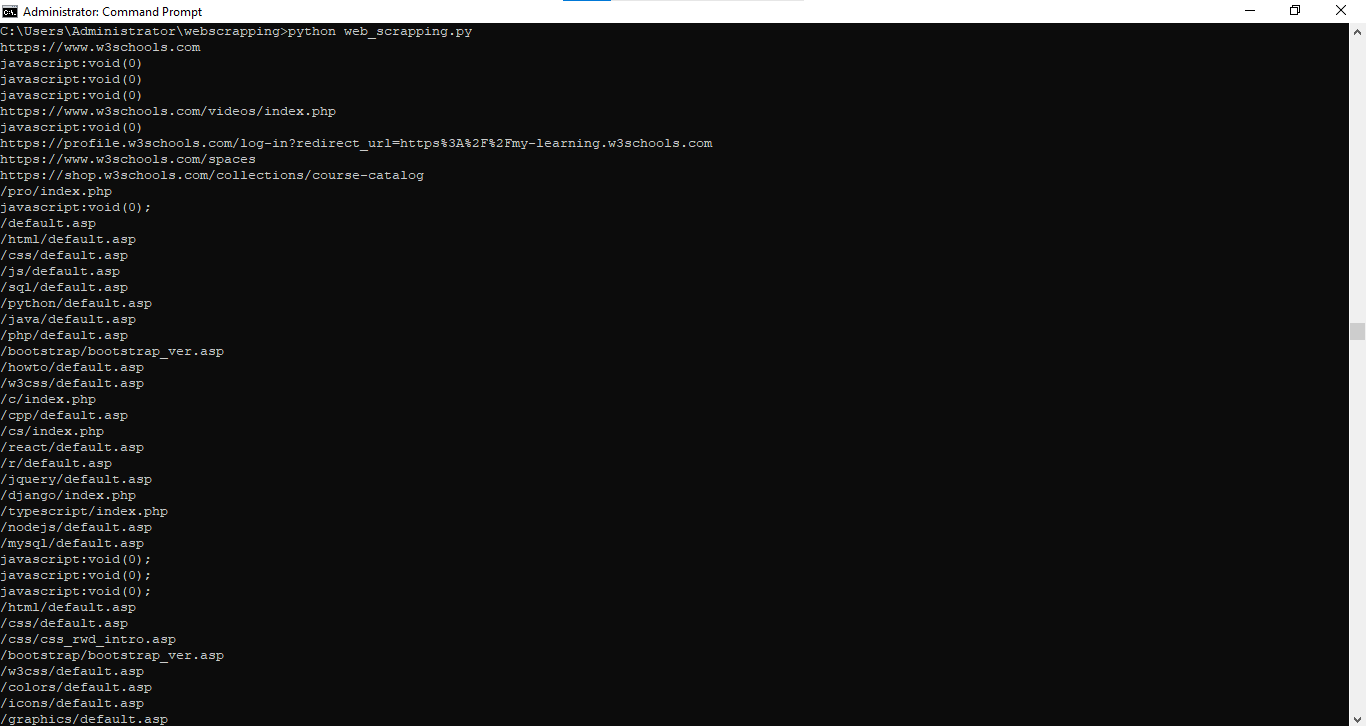
The
if href: check skips anchor tags that have no
href attribute, such as JavaScript-only links or named anchors. Using
.get("href") instead of
link["href"] returns
None instead of raising a
KeyError when the attribute is missing.
Step 6: Extract Navigation Items with BeautifulSoup
BeautifulSoup can narrow a search to a specific section of the page. Call
find("nav") first to locate the navigation container, then call
find_all("a") on that container to extract only the navigation links. This two-step approach avoids mixing navigation links with content links from the rest of the page.
nav = soup.find("nav")
if nav:
    nav_items = nav.find_all("a")
    print(f"\nNavigation Items ({len(nav_items)}):")
    for item in nav_items:
        print(f"- {item.get_text(strip=True)}")
Scoping the search to a parent element improves both accuracy and performance. BeautifulSoup traverses only the subtree under the
<nav> tag instead of the entire document. This pattern applies to any parent-child element relationship in HTML.
Step 7: Combine All Steps into a Complete BeautifulSoup Script
This complete script combines every step into a single runnable program. BeautifulSoup (bs4) fetches the page, parses the HTML, and extracts the title, all links, and navigation items in sequence.
from bs4 import BeautifulSoup
import requests

url = "https://example.com"
response = requests.get(url)

if response.status_code == 200:
    soup = BeautifulSoup(response.text, "lxml")

    # Extract the page title
    title = soup.find("title")
    if title:
        print(f"Page Title: {title.string}")

    # Extract all hyperlinks
    links = soup.find_all("a")
    print(f"\nTotal Links: {len(links)}")
    for link in links:
        href = link.get("href")
        text = link.get_text(strip=True)
        if href:
            print(f"  {text}: {href}")

    # Extract navigation items
    nav = soup.find("nav")
    if nav:
        nav_items = nav.find_all("a")
        print(f"\nNavigation Items: {len(nav_items)}")
        for item in nav_items:
            print(f"  - {item.get_text(strip=True)}")
else:
    print(f"Failed to fetch page: {response.status_code}")
What You Learned
BeautifulSoup (bs4) parses HTML documents into a tree of Python objects. The Python requests library fetches web pages over HTTP and returns the HTML as a string. BeautifulSoup's
find() method locates the first matching element. BeautifulSoup's
find_all() method returns a list of all matching elements. Scoping a search to a parent element limits results to a specific section of the page. Always check for
None before accessing properties on BeautifulSoup search results.
What to Do Next
To scrape content that requires authentication, see BeautifulSoup tutorial: scrape authenticated pages with session cookies.
To extract structured product data and save it to CSV, see BeautifulSoup tutorial: scrape e-commerce product data to CSV.
For copy-paste code patterns, see the BeautifulSoup snippetspage.