
BeautifulSoup tutorial: scrape authenticated pages with session cookies
Learn how to scrape login-protected pages with BeautifulSoup by authenticating with the Python requests library Session object and persisting cookies.
- What You Will Need
- Step 1: Understand How Session-Based Authentication Works for Web Scraping
- Step 2: Create a Requests Session and Inspect the Login Form
- Step 3: Extract the CSRF Token with BeautifulSoup
- Step 4: Submit Login Credentials with the Python Requests Session
- Step 5: Verify Authentication and Access Protected Content
- Step 6: Extract Data from the Authenticated Page with BeautifulSoup
- Step 7: Combine All Steps into a Complete Authenticated Scraping Script
- What You Learned
- What to Do Next
This tutorial walks through scraping web pages that require login credentials. By the end, you will understand how to authenticate with the Python requests library
Session object, persist cookies across requests, and parse protected HTML content with BeautifulSoup (bs4).
What You Will Need
- Python 3.7 or later installed on your system.
- The
beautifulsoup4package (pip install beautifulsoup4). - The
requestspackage (pip install requests). - The
lxmlparser (pip install lxml). - A test account on the target website (never use production credentials for scraping experiments).
Step 1: Understand How Session-Based Authentication Works for Web Scraping
BeautifulSoup (bs4) parses HTML but does not handle HTTP communication or authentication. The Python requests library manages HTTP sessions, cookies, and authentication. When a website requires login, the browser sends credentials via an HTTP POST request, and the server responds with a session cookie. The browser includes that cookie in every subsequent request to prove the user is authenticated.
The Python requests library
Session object replicates this behavior. It stores cookies from a login response and attaches them automatically to every follow-up request. BeautifulSoup then parses the authenticated HTML that the session retrieves.
Without a session, each
requests.get() call starts fresh with no cookies. The target server treats every request as unauthenticated and redirects to the login page instead of returning the protected content.
Step 2: Create a Requests Session and Inspect the Login Form
The Python requests library
Session object persists cookies, headers, and connection settings across multiple HTTP requests. Create a session first, then use it for all subsequent requests.
import requests
from bs4 import BeautifulSoup

session = requests.Session()
Before sending login credentials, fetch the login page and inspect its HTML form. BeautifulSoup extracts the form's
action URL, input field names, and any hidden fields such as CSRF tokens. Many websites embed a hidden CSRF token in the login form that the server validates on submission.
login_url = "https://www.example-site.com/login"
response = session.get(login_url)
soup = BeautifulSoup(response.text, "lxml")

# Find the login form and its input fields
login_form = soup.find("form")
if login_form:
    inputs = login_form.find_all("input")
    for input_tag in inputs:
        print(f"Name: {input_tag.get('name')}, Type: {input_tag.get('type')}")
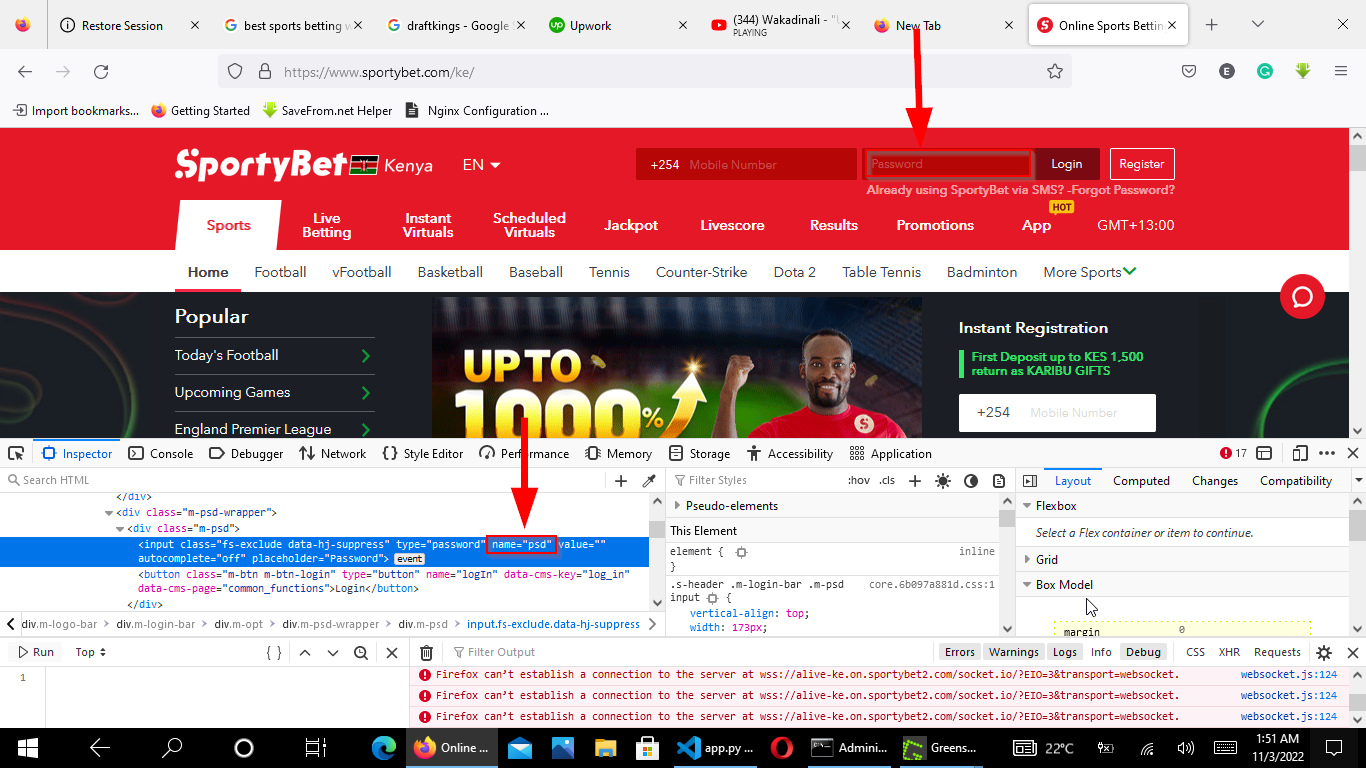
BeautifulSoup reveals the exact field names the server expects. These names vary across websites. Common names include
username,
email,
password,
csrf_token, and
authenticity_token. Using the wrong field names causes the login to fail silently.
Step 3: Extract the CSRF Token with BeautifulSoup
BeautifulSoup extracts CSRF tokens from hidden input fields in the login form. Most web frameworks generate a unique CSRF token per session to prevent cross-site request forgery attacks. The scraping script must include this token in the login POST request.
csrf_token = None
csrf_input = soup.find("input", attrs={"name": "csrf_token"})
if csrf_input:
    csrf_token = csrf_input.get("value")
    print(f"CSRF Token: {csrf_token}")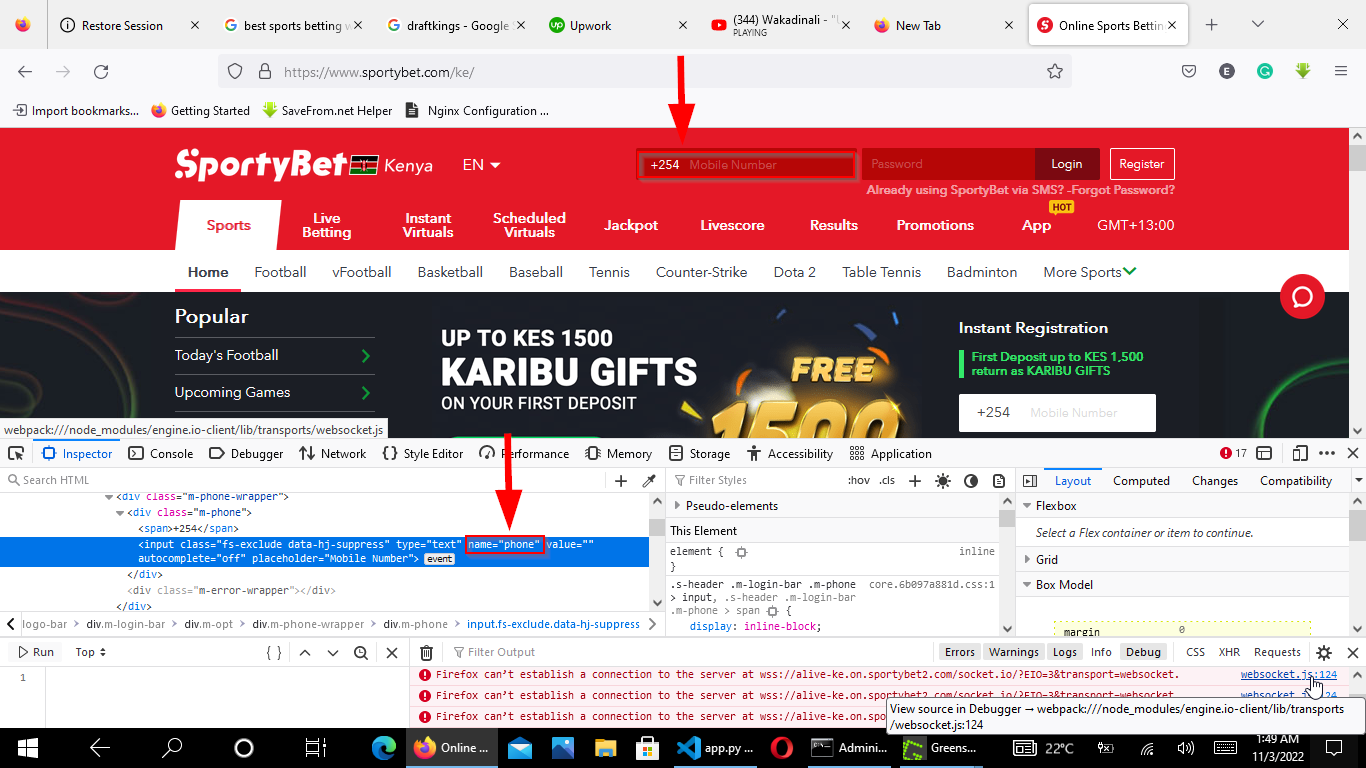
The CSRF token field name differs across frameworks. Django uses
csrfmiddlewaretoken. Rails uses
authenticity_token. Flask-WTF uses
csrf_token. Inspect the login form HTML to find the correct field name. If the login form has no CSRF token, skip this step.
Step 4: Submit Login Credentials with the Python Requests Session
The Python requests library
Session.post() method sends the login form data as an HTTP POST request. The session stores the authentication cookies from the server's response. Every subsequent request through this session includes those cookies automatically.
login_data = {
    "username": "your_username",
    "password": "your_password",
}

# Include the CSRF token if the form requires one
if csrf_token:
    login_data["csrf_token"] = csrf_token

response = session.post(login_url, data=login_data)

if response.status_code == 200:
    print("Login request sent successfully")
else:
    print(f"Login failed with status code: {response.status_code}")
The
session.post() call sends the credentials as form-encoded data, which matches how browsers submit HTML forms. The server validates the credentials and sets session cookies in the response. The
Session object captures and persists these cookies for all future requests.
Step 5: Verify Authentication and Access Protected Content
The Python requests library session now carries the authentication cookies. Fetch a protected page with
session.get() and check whether the server returns the protected content or a login redirect.
protected_url = "https://www.example-site.com/protected-page"
response = session.get(protected_url)

soup = BeautifulSoup(response.text, "lxml")

# Check if login was successful by looking for authenticated content
if soup.find("div", class_="dashboard") or soup.find("a", string="Logout"):
    print("Authentication confirmed: accessing protected content")
else:
    print("Authentication failed: received login page instead")
BeautifulSoup verifies authentication by checking for elements that appear only on authenticated pages, such as a dashboard container, a logout link, or a user profile section. If the page contains a login form instead, the credentials were rejected or the session cookies expired.
Step 6: Extract Data from the Authenticated Page with BeautifulSoup
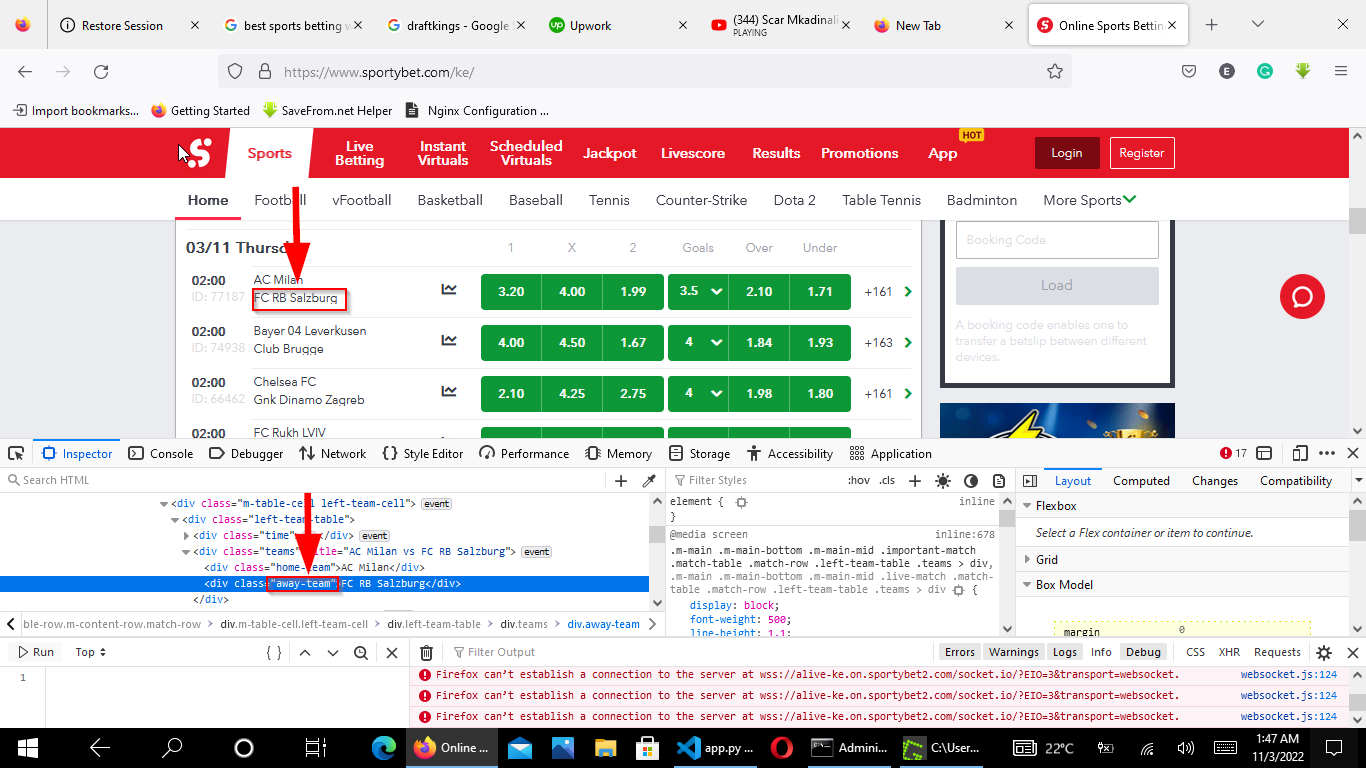
BeautifulSoup parses the protected HTML the same way it parses any other page. Use
find(),
find_all(), or CSS selectors with
select() to locate and extract the target data.
items = soup.find_all(class_="data-item")
results = []

for item in items:
    title = item.find(class_="item-title")
    value = item.find(class_="item-value")

    if title and value:
        results.append({
            "title": title.get_text(strip=True),
            "value": value.get_text(strip=True),
        })

for result in results:
    print(f"{result['title']}: {result['value']}")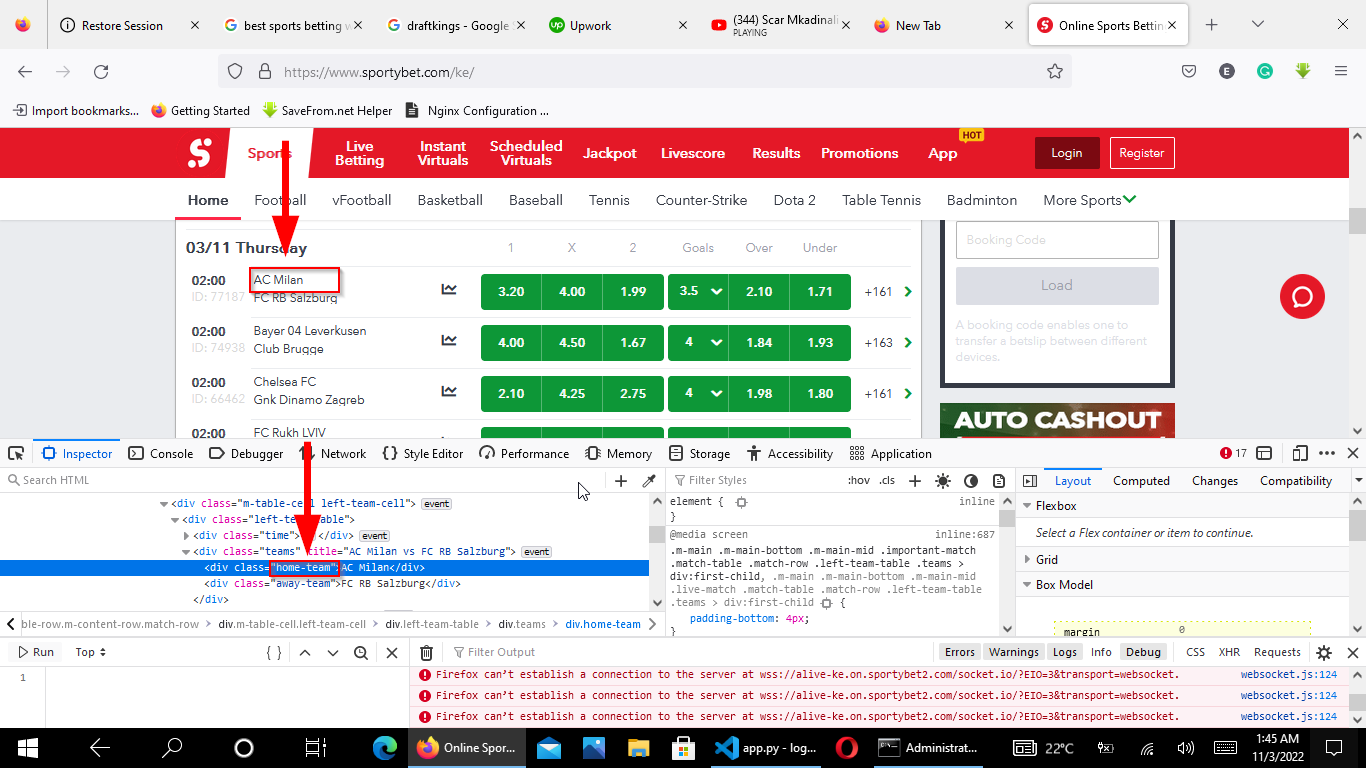
BeautifulSoup's
get_text(strip=True) removes whitespace from the extracted text. The
if title and value: check skips incomplete elements where one of the expected child tags is missing. This defensive pattern prevents
AttributeError exceptions when the HTML structure varies between items.
Step 7: Combine All Steps into a Complete Authenticated Scraping Script
This complete script combines session creation, login, CSRF token extraction, authentication, and data extraction into a single reusable class.
import requests
from bs4 import BeautifulSoup

class AuthenticatedScraper:
    def __init__(self, username, password):
        self.username = username
        self.password = password
        self.session = requests.Session()

    def login(self, login_url):
        # Fetch the login page and extract CSRF token
        response = self.session.get(login_url)
        soup = BeautifulSoup(response.text, "lxml")

        login_data = {
            "username": self.username,
            "password": self.password,
        }

        # Extract CSRF token if present
        csrf_input = soup.find("input", attrs={"name": "csrf_token"})
        if csrf_input:
            login_data["csrf_token"] = csrf_input.get("value")

        # Submit login form
        response = self.session.post(login_url, data=login_data)
        return response.status_code == 200

    def scrape(self, url):
        response = self.session.get(url, timeout=10)
        response.raise_for_status()
        soup = BeautifulSoup(response.text, "lxml")

        items = soup.find_all(class_="data-item")
        results = []

        for item in items:
            title = item.find(class_="item-title")
            value = item.find(class_="item-value")

            if title and value:
                results.append({
                    "title": title.get_text(strip=True),
                    "value": value.get_text(strip=True),
                })

        return results

    def close(self):
        self.session.close()


if __name__ == "__main__":
    scraper = AuthenticatedScraper("your_username", "your_password")

    if scraper.login("https://www.example-site.com/login"):
        print("Logged in successfully")
        data = scraper.scrape("https://www.example-site.com/protected-page")

        for item in data:
            print(f"{item['title']}: {item['value']}")
    else:
        print("Login failed")

    scraper.close()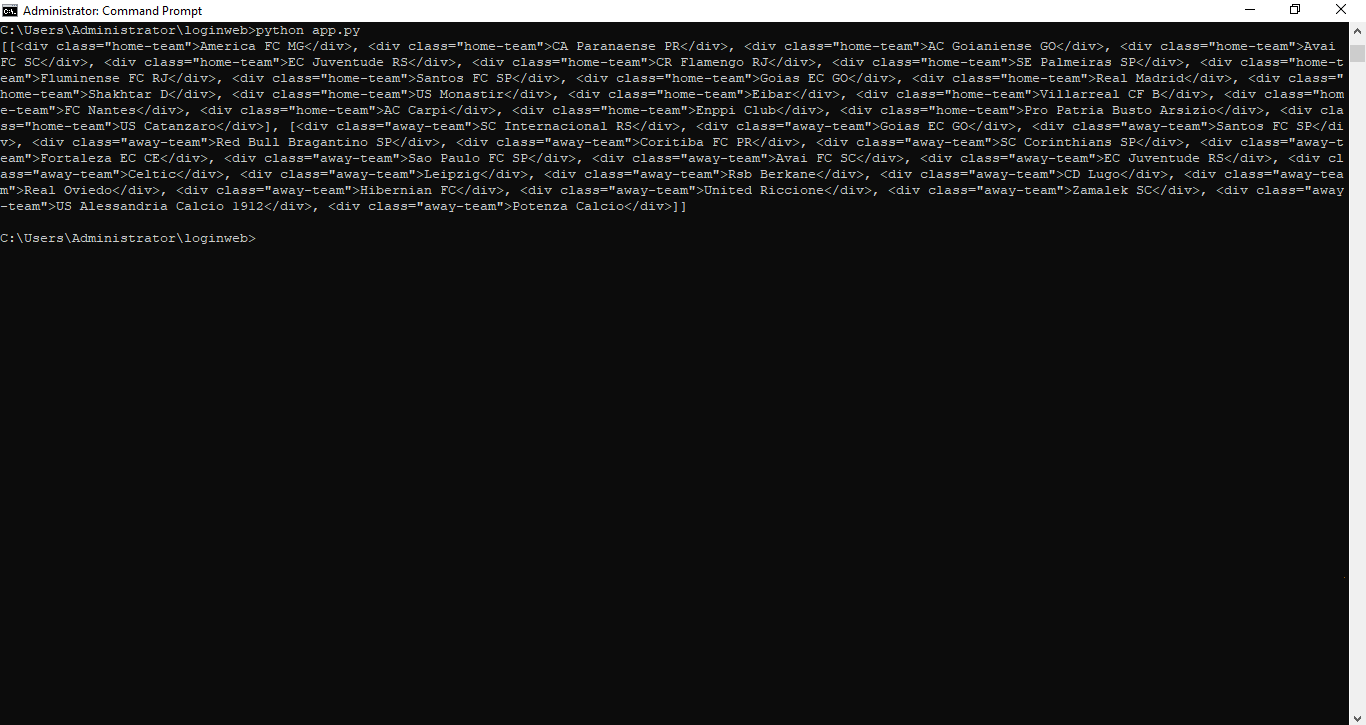
What You Learned
BeautifulSoup (bs4) parses HTML from authenticated pages the same way it parses public pages. The Python requests library
Session object handles login by posting credentials and persisting session cookies. CSRF tokens must be extracted from the login form with BeautifulSoup and included in the POST request. The session carries authentication cookies to every subsequent request automatically. Always check for
None before accessing properties on BeautifulSoup search results.
What to Do Next
For websites that use JavaScript-based login flows (single-page applications, OAuth redirects, or CAPTCHAs), the Python requests library cannot authenticate. Use Selenium or Playwright to automate the browser login, then pass the rendered HTML to BeautifulSoup for parsing.
To extract product data and save it to CSV, see BeautifulSoup tutorial: scrape e-commerce product data to CSV.
For recommended patterns on error handling and rate limiting, see the BeautifulSoup best practicespage.